Your colour notebook
Keep hold of the colours you love
Choosing a colour rarely happens in one visit. A wishlist lets you set aside the shades and products that catch your eye, organise them by room or by project, and find them exactly where you left them - on your laptop or your phone.
Wishlists are tied to your account. Creating one is free and takes less than a minute.
How it works
Four steps, from the first colour you spot to the tin on your doorstep.
Create your account
A name, an email address and a password - or sign in with Google. Your first list, "My wishlist", is created for you automatically.
Tap the heart
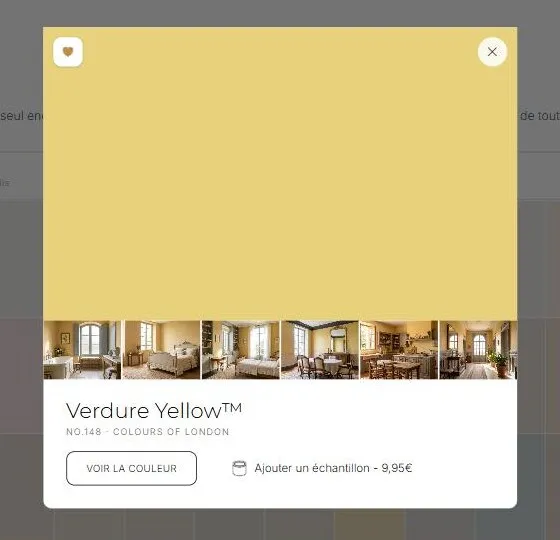
A heart sits on every colour, on product pages and on the digital colour card alike. One tap saves it, another removes it. The heart stays filled for as long as the colour is in one of your lists.
Sort by project
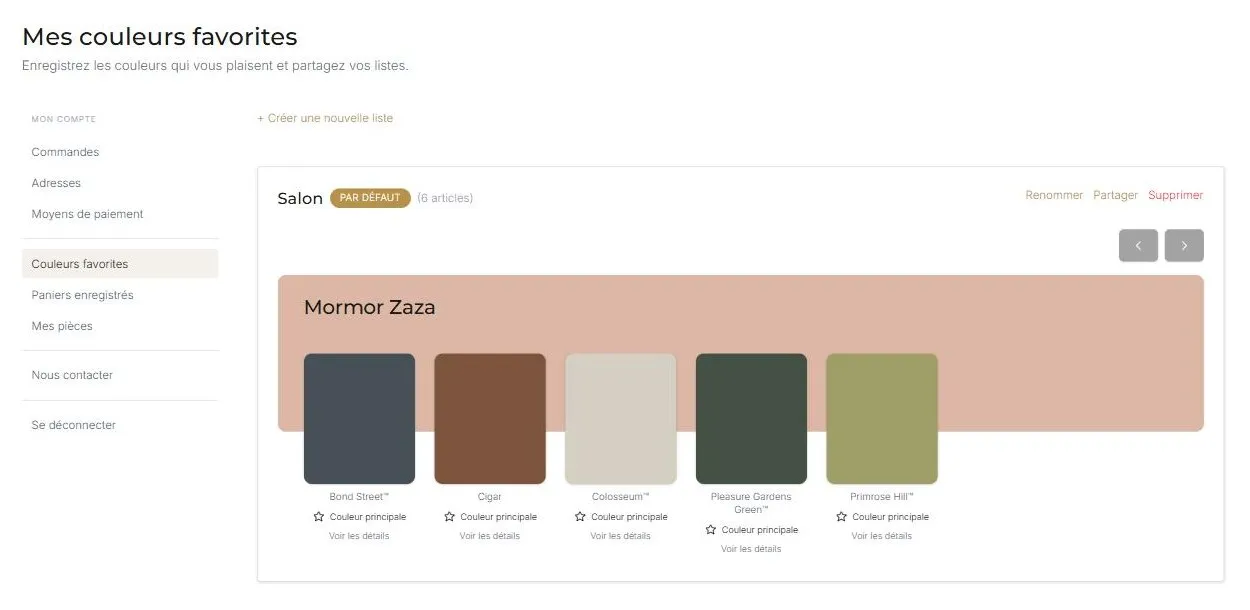
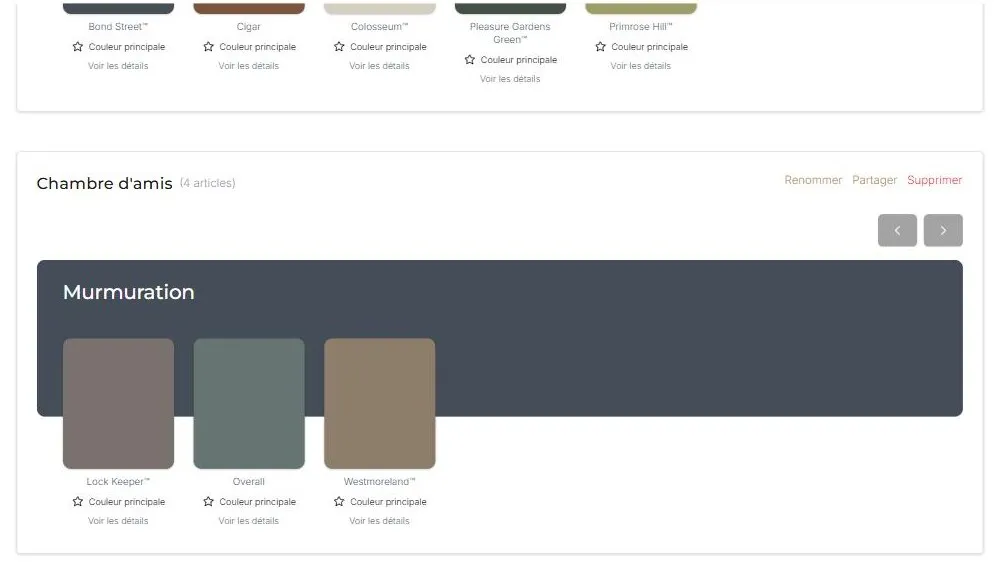
Create as many lists as you have rooms or jobs - "Living room", "Spare bedroom", "Woodwork" - rename them freely, and move an item from one list to another in a click.
Share, then order
Every list has a share link for your interior designer, your decorator or your family. When you are ready, add the sample pots or full tins to your basket straight from the list.
The wishlist in pictures
A concrete look: the heart that saves a colour, then your lists as they appear in your account.
What you can do
As many lists as projects
One list per room, per floor or per client. Rename and reorganise them whenever you like; a default list catches your favourites in a single tap.
A share link
Whoever receives the link can open your list without an account - by email, WhatsApp or social media. They can view it, not change it.
From favourite to sample
Order a sample pot from your list and judge the colour at home, in your own light, before committing to a 5 litre tin.
On every screen
Your lists live on your account, not in your browser: start on your phone, carry on at your desk. Your favourite colours also show up in the room visualiser.